
Applications
How to Make a Sankey Diagram of Your Job Search (and the 4 Best Free Tools)
A job search Sankey diagram shows where every application went. Here's how to make one, and the four best free tools, tested on the same job hunt.
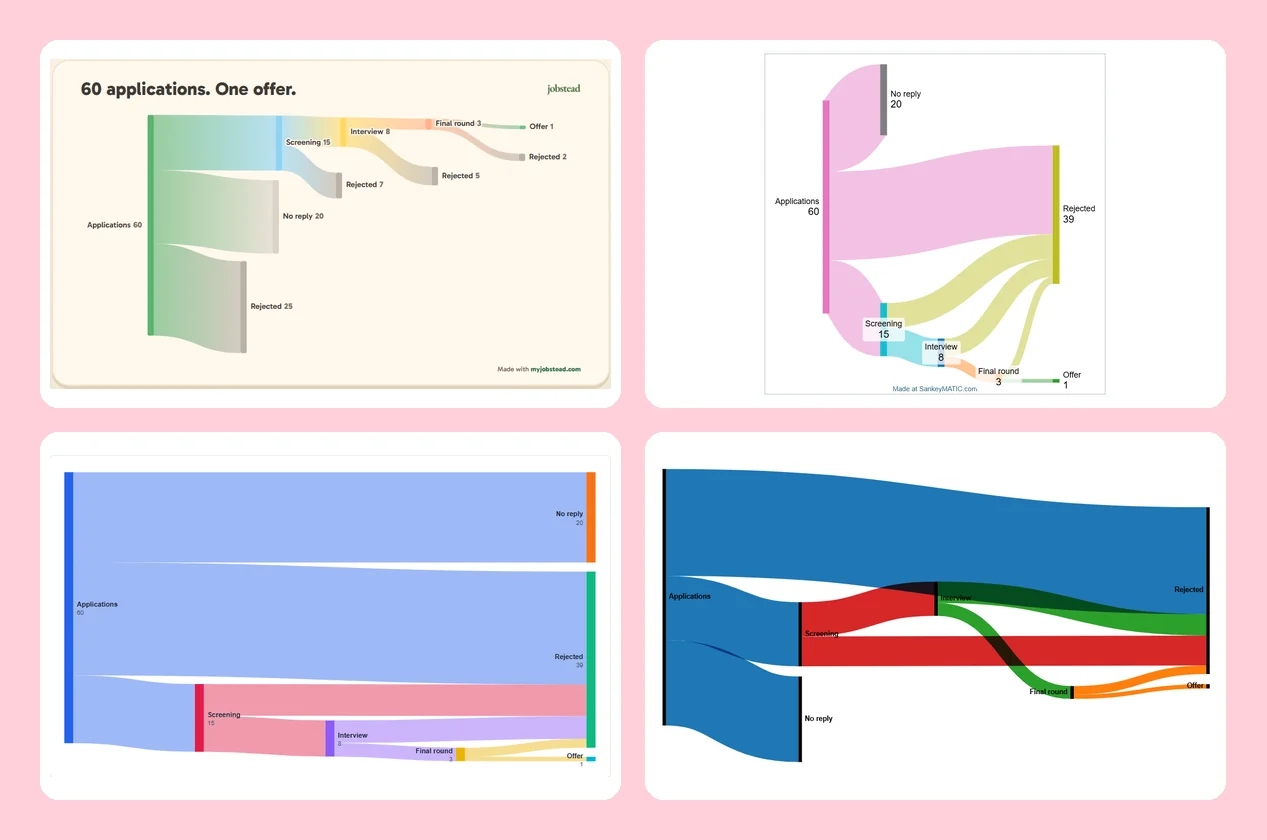
Where did they all go?
A Sankey diagram of your job search turns all your applications into one picture. Each stage is a bar, and the bands show how many moved on, were rejected or never heard back, so you can see where things stall.
We tested four free Sankey makers on the same job hunt: 60 applications, 15 screenings, 8 interviews, 3 final rounds and 1 offer. Here's how they compare.
Making a job search Sankey diagram
1. Count everything you sent.
This is your first bar, including the applications that never got a reply.
2. Split each stage into where it went.
Count how many moved on, how many were rejected and how many went quiet. Online tests, video interviews and assessment centres all count as stages.
The counting is the hard part. With a dedicated application tracker or spreadsheet, it takes five minutes. Without one, your inbox is a good place to start.
The best free Sankey makers, ranked
1. Jobstead
Price: Free · Sign-up: None · Downloads: PNG and SVG
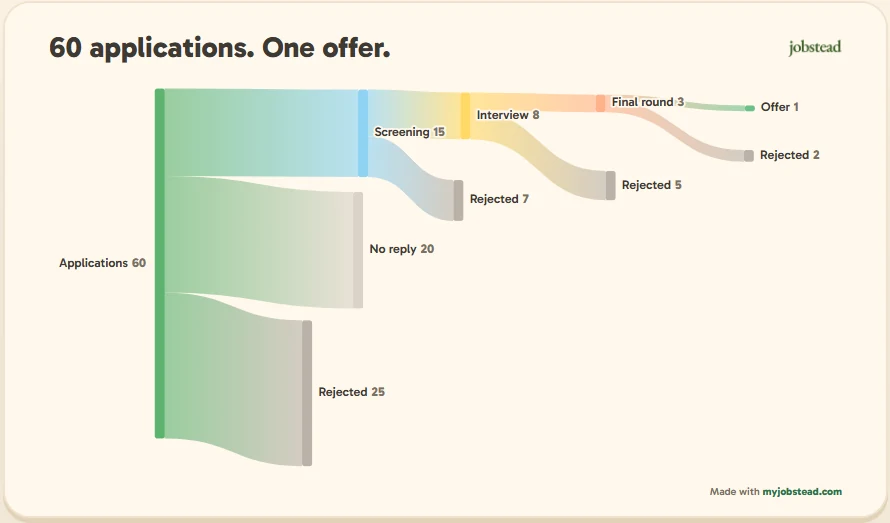
Full disclosure: this one's ours. We built it because the other tools weren't made with job hunting in mind.
It's the only Sankey maker made specifically for the job search, and the simplest of the four to use. There's no code to learn and no table to set up. You just fill in your stages.
You start from a template (a typical job hunt, a graduate scheme or the basics), then type in your numbers. You can add your own stages and outcomes, such as "Withdrew" or "Still waiting", and drag any stage to move it. Try the Sankey maker.
Here's where things get interesting. The Sankey is only a small part of Jobstead.
2. SankeyMATIC
Price: Free · Sign-up: None · Downloads: PNG and SVG
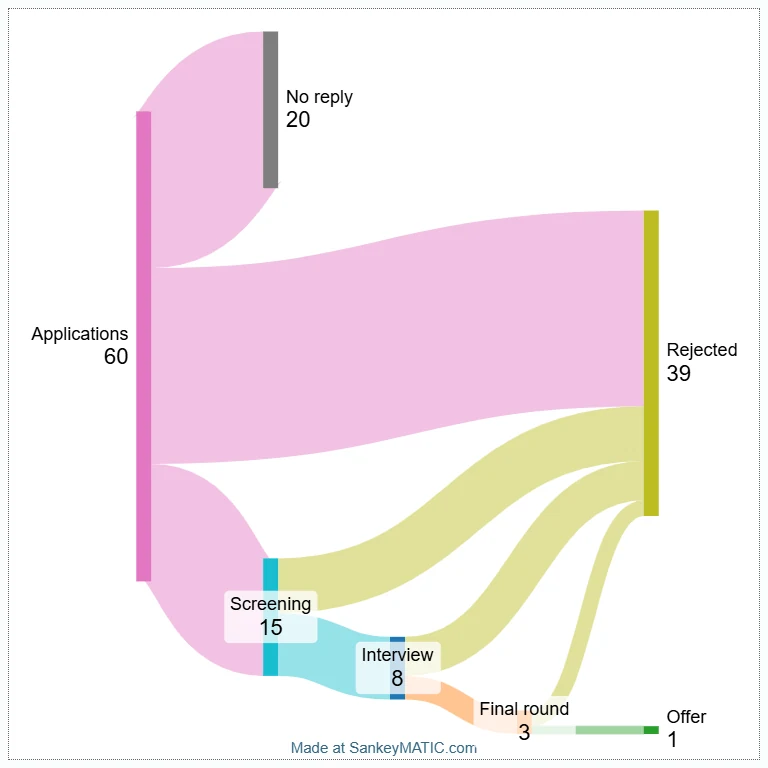
SankeyMATIC is behind many of the job-hunt Sankeys you see on Reddit. It's free, open source and very flexible. You type each flow as a line of text, such as Applications [15] Screening, then change almost everything: colours, spacing, fonts and labels.
Unfortunately, it wasn't made for job hunting, so there are no templates. And every stage named "Rejected" merges into one bar, which hides where you were turned down. You can name each one differently, but it takes some fiddling.
3. Made Good Designs Sankey Diagram Maker
Price: Free · Sign-up: None · Downloads: PNG, SVG and PDF
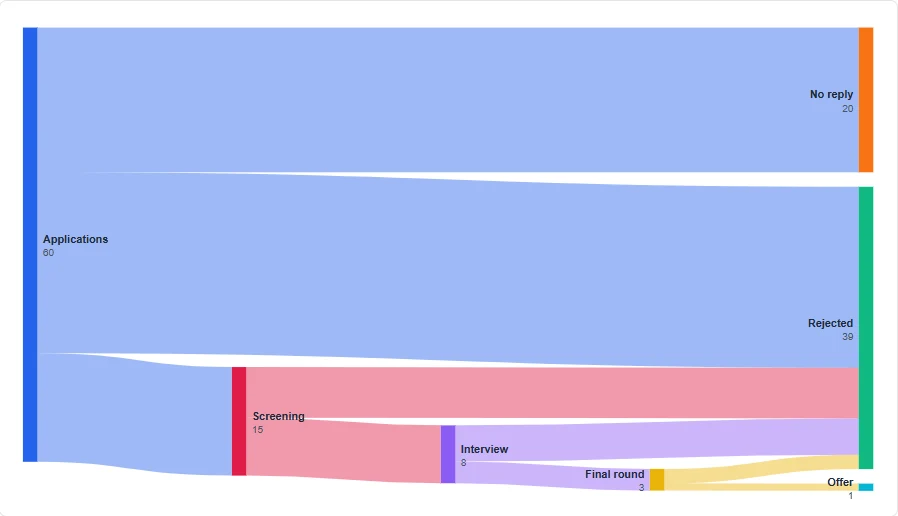
This one uses the same text format as SankeyMATIC, or you can paste three columns from Excel or Google Sheets. It shows values or percentages, checks your numbers add up, and is the only tool here that exports a PDF.
Like SankeyMATIC, it merges your rejections into one bar, and there's no job-hunt starting point.
4. RAWGraphs
Price: Free · Sign-up: None · Downloads: PNG, SVG and JPG
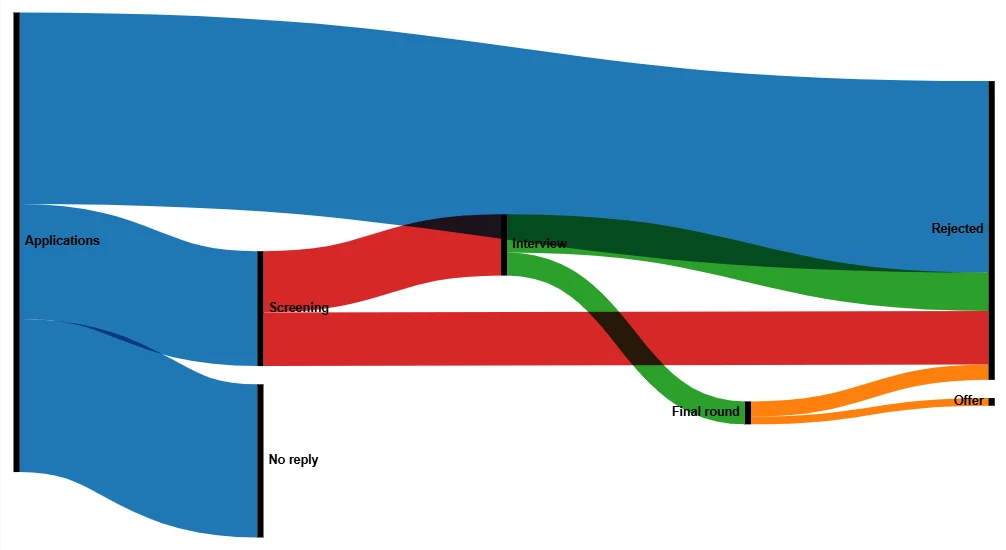
RAWGraphs is a free, open-source chart maker from DensityDesign, Calibro and Inmagik. It makes dozens of kinds of chart, and the Sankey is one of them.
You paste a table with three columns, choose the chart, and drag each column into place. It's powerful, but built for designers. Sadly, it doesn't show the numbers on the chart by default, and it takes the most steps of the four.
Every line counts
A Sankey can look a little brutal. That wide band of "No reply" is hard to miss.
But these diagrams don't tell the whole story. They can't show what you learned in each interview, or how much better your applications got by the end.
Almost everyone's Sankey is mostly rejections. Sixty applications for one offer is a normal job hunt, not a failed one.
Sources
4 entries
- Jobstead: Job Application Sankey Diagram Maker.
- SankeyMATIC: SankeyMATIC builder, and its open-source code on GitHub.
- Made Good Designs: Sankey Diagram Maker.
- RAWGraphs: RAWGraphs 2.1.
- How we tested: all four tools were tested on 27 November 2026 with the same made-up job hunt. Each picture is that tool's own output with its default settings (we reduced RAWGraphs' height to fit). Prices and sign-up rules were checked on the same day and may change. We left out Flourish, which needs an account to make a chart.