
Applications
The Best Job Application Tracker for Students and Graduates in 2026
Job hunting now works like a sales pipeline, and your applications are spread across a dozen sites. We scored four ways to keep track of them out of 10.

Track it like a pro
The best job application tracker for students and graduates is the one you'll keep using until you get an offer. For most people in 2026, that's a free, dedicated tracker rather than a spreadsheet or a note-taking template.
Tracking matters more than it used to. Employers now receive an average of 141 applications for every graduate vacancy, so most people send dozens before anything lands.
Here's where things get interesting. The job search now works a lot like a sales cycle. You find leads, reach out, follow up, and move each one through stages until it closes, one way or the other.
Salespeople don't keep all that in their heads. They use a CRM, so nothing slips through. Your job hunt deserves the same.
The best job application trackers, ranked
1. Jobstead 9/10
Price: Free · Built for: students and graduates
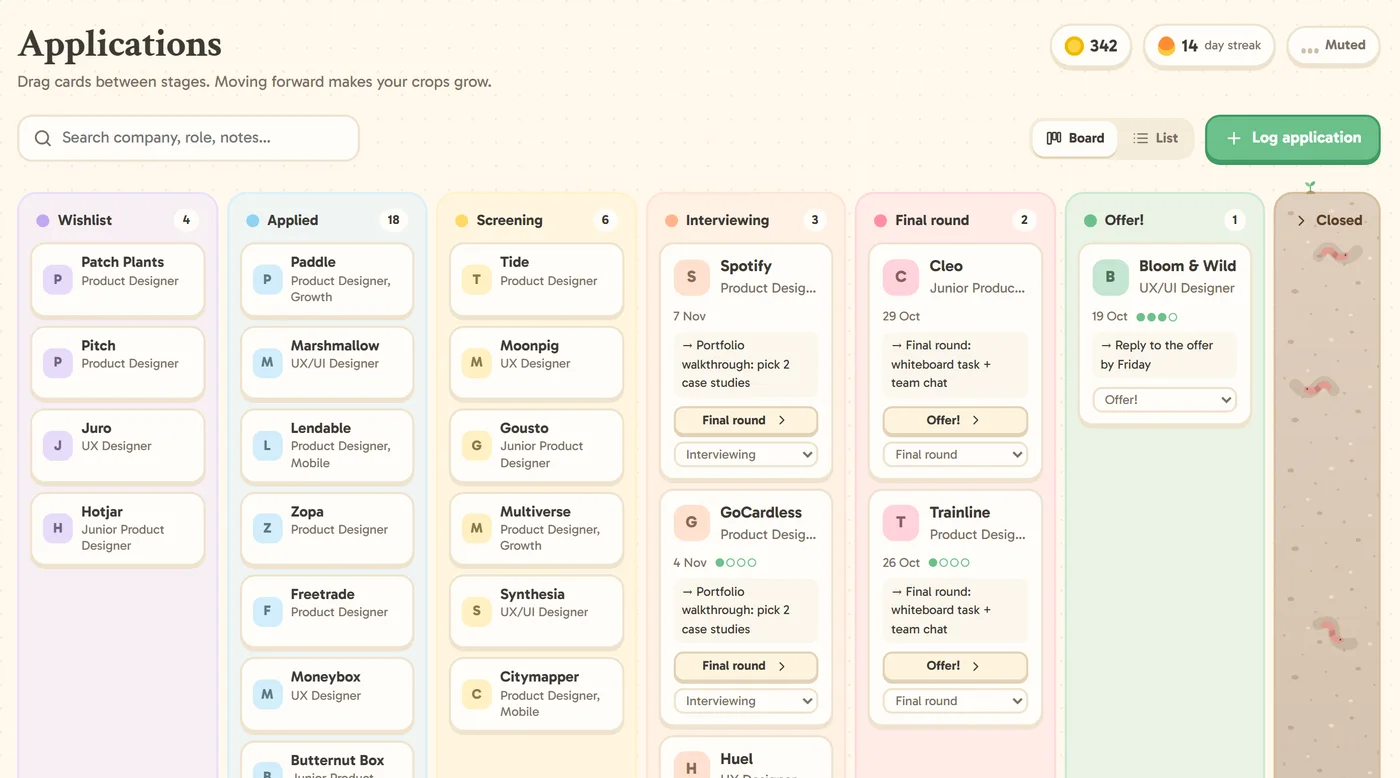
Full disclosure: this one's ours. We built it because nothing else was made for the way students and graduates job hunt.
Jobstead is a job application tracker made for students and graduates, and it's completely free. No trial, no card. Every application sits on a board of stages, from Wishlist to Offer, and you drag it along as it moves.
Around that sit five trackers: applications, deadlines, outreach, companies and feedback. So the coffee chat with an alumnus, the online test due on Thursday and your interview notes all live next to the application they belong to.
The Jobstead Clipper is what makes it a hub. It's a free Chrome extension. Open it on a job advert on LinkedIn, Indeed, Gradcracker, Bright Network, TARGETjobs or a company careers page, and it fills in the details for you. One click, and the job is saved, wherever you found it.
Already using a spreadsheet? You can bring your old applications in, and export a full backup whenever you like. Your stages are counted as you go, so you can turn them into a Sankey diagram in seconds.

Interestingly, the biggest difference is Jobstead's philosophy. Its mission is to make the job search more enjoyable, because a job hunt you enjoy is one you keep coming back to.
That matters, because a long search is mostly rejections and silence. That's usually when people stop tracking, and often when they stop applying.
So every application grows a plant in your own garden, and rejections become compost that helps the next one grow. You choose your own weekly goal, and every application counts towards it, whatever the answer.
It also rewards quality, not just volume. A tailored CV, a cover letter, a call or turning up in person earns extra luck and rarer seeds. The care you put into each application shows up in your garden, so there's no prize for sending the same CV to two hundred jobs.
Even when the job search isn't going your way, you can see your progress growing.
Coming soon is a CV repository: every version of your CV in one place, with an editor to tailor each one to a job advert.
The downsides? It's newer than the others, places open a few at a time, and the Clipper only works in Chrome on a laptop or desktop.
2. Teal 7/10
Price: Free, with a paid Teal+ plan · Built for: job seekers of every level
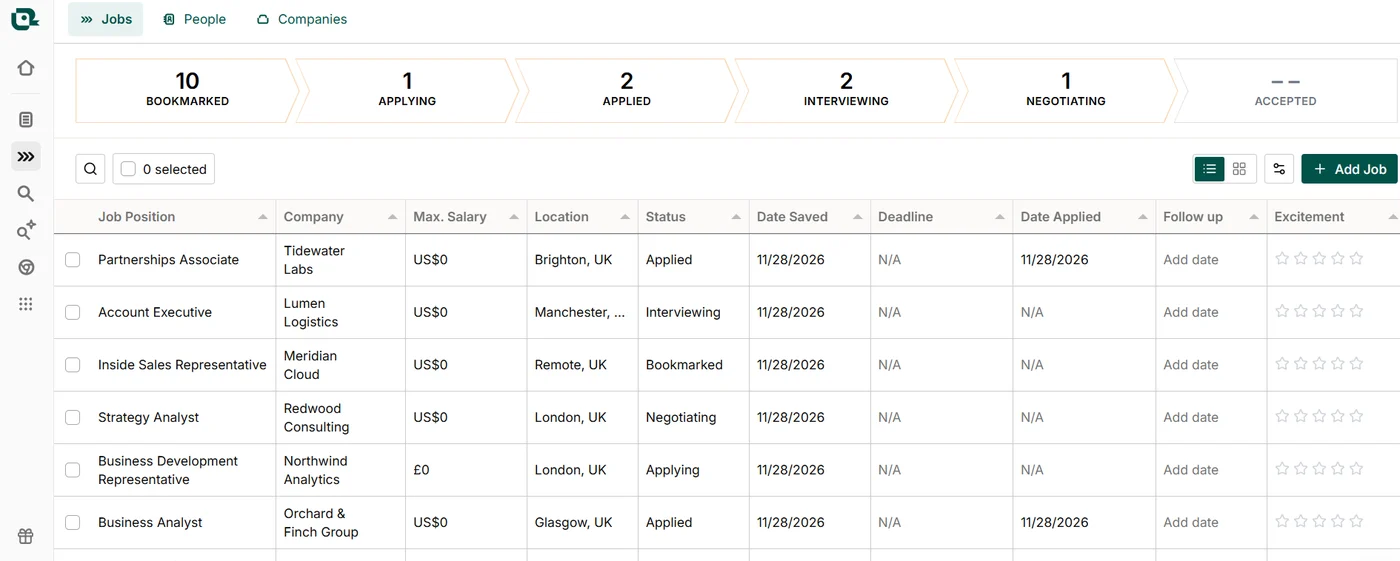
Teal is a well-made job tracker with a Chrome extension of its own. It saves jobs from most job sites, and its board of stages works much like Jobstead's.
The main difference is who it's for. Teal is built for job seekers in general, from graduates to senior managers changing careers. Its centre of gravity is its AI CV builder, and many of the tools that match your CV to a job sit behind the paid Teal+ plan.
It's a good choice if you're a few years into your career. If you're a student or recent graduate, you'll use less of it, and nothing in it is shaped around graduate schemes, internships or placements.
3. Spreadsheets 5/10
Price: Free · Built for: anything, so nothing in particular
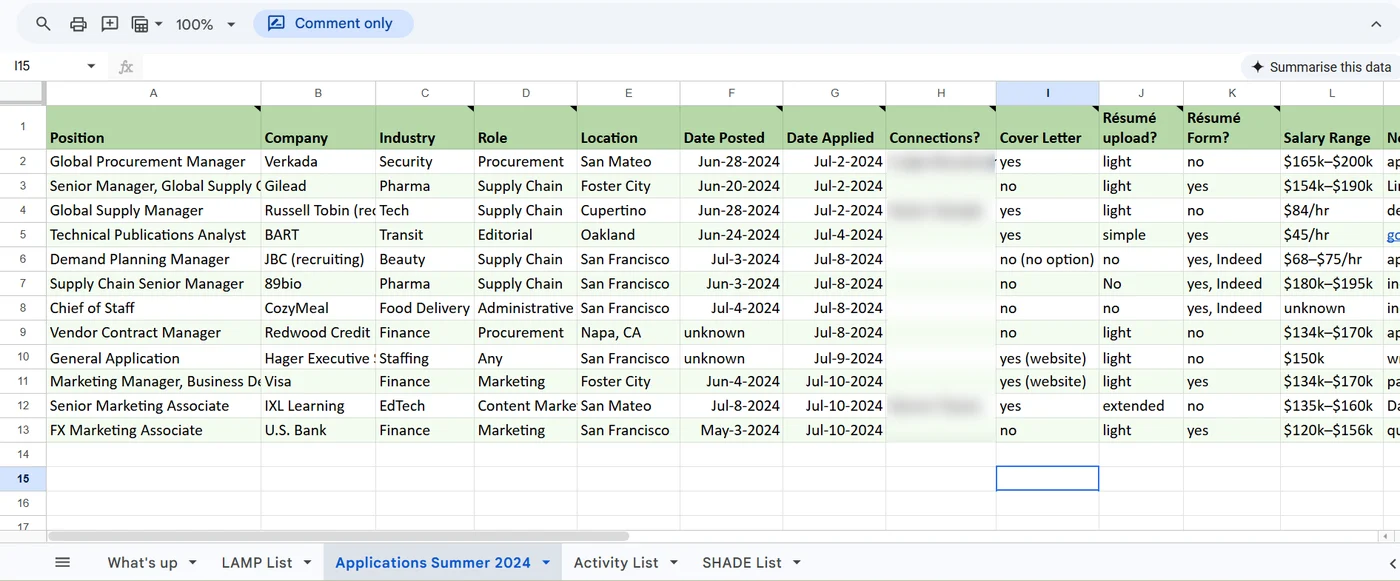
The spreadsheet is the classic tracker, and it can work. Google Sheets and Excel are free or already on your laptop, and you probably know how to use them.
Unfortunately, in 2026 it's a poor fit for how people apply. Every job has to be copied in by hand, from every site. A deadline column only helps if you open the file in time.
Spreadsheets are also easy to lose track of. After a few busy weeks the sheet no longer matches reality, and once it falls behind, many people stop updating it altogether.
4. Notion and Obsidian templates 4/10
Price: Free to start · Built for: people who already use them
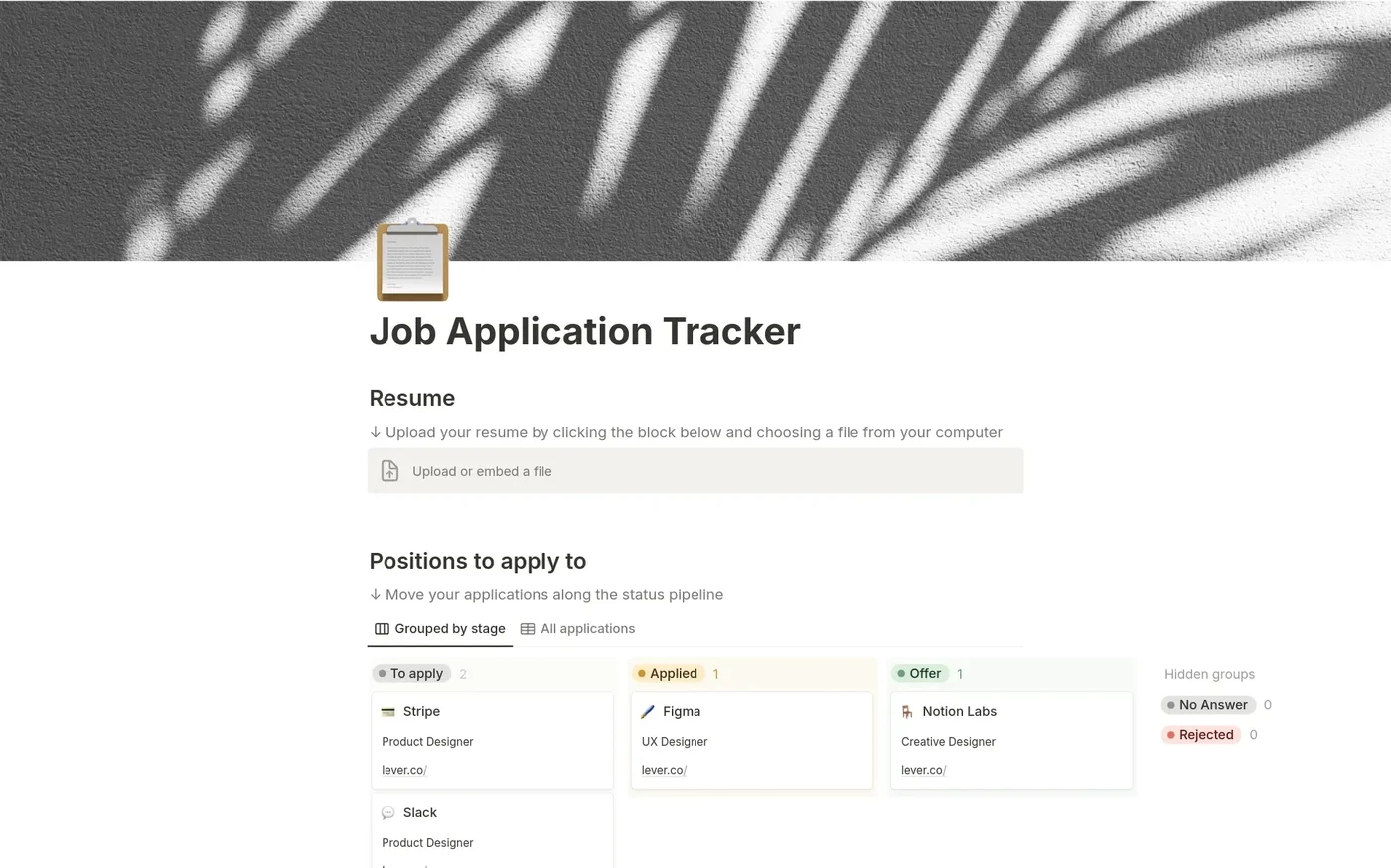
Notion has a large gallery of job tracker templates, many of them free, and the good ones look lovely. Obsidian is a free, private note-taking app, and with community plugins you can build a board of your own.
Sadly, both share the spreadsheet's main weakness. Most jobs still go in by hand, and nothing nudges you when you fall behind. Templates are made by different people, so the quality varies, and Obsidian takes the most setting up of anything here. Syncing it to your phone also costs extra unless you set that up yourself.
If you already organise your degree in one of them, a template is a reasonable start. As a tracker for a long search, both are hard to keep up with.
Why your applications end up scattered
There are more places to apply than ever. LinkedIn, Indeed, Gradcracker, Bright Network, TARGETjobs, Prospects and every employer's own careers portal all want you to apply through them.
Each one keeps its own list of what you've applied for, if it keeps one at all. Many send you to the employer's site the moment you press Apply, and the trail stops there.
So after a month, your applications are spread across ten sites, three inboxes and a pile of browser tabs. That's when deadlines get missed and follow-ups get forgotten.
A good tracker fixes this by being the one hub above all of them. Wherever you applied, it all ends up in one place.
The one you keep opening
A spreadsheet can carry you through a short search. Notion and Obsidian suit people who already live in them, and Teal suits people further into their careers.
For a long search across lots of sites as a student or graduate, a dedicated tracker does more of the work for you.
Whatever you choose, log every application, including the ones that never reply. It might take 50 applications instead of five. That's fine.
Sources
6 entries
- Institute of Student Employers: Graduate jobs stabilise, but AI use disrupts recruitment (141 applications per graduate vacancy).
- Jobstead: the tracker, the Jobstead Clipper and the Sankey diagram maker.
- Teal: tealhq.com.
- Spreadsheets: Google Sheets and Microsoft Excel.
- Notion and Obsidian: Notion job search templates and Obsidian pricing.
- How we scored: each option was scored out of 10 on how much it does for a student or graduate job hunt, how easy it is to keep up to date, and its price. Prices were checked on 28 November 2026 and may change.